Part 2: The Charging Ecosystem in Malaysia
Charging Speeds & Where to Find Them| Charger Type | Typical Power | Typical Location | Time for ~200km Range* |
|---|
| AC Wallbox (Type 2) | 7 kW - 22 kW | Home, Office, Malls | 6 - 10 hours (overnight) | | DC Fast Charger (CCS2) | 50 kW | Highway R&R, Malls | 30 - 45 minutes | | DC Ultra-Fast Charger (CCS2) | 150 kW - 350 kW | Major Highway Hubs | 15 - 20 minutes |
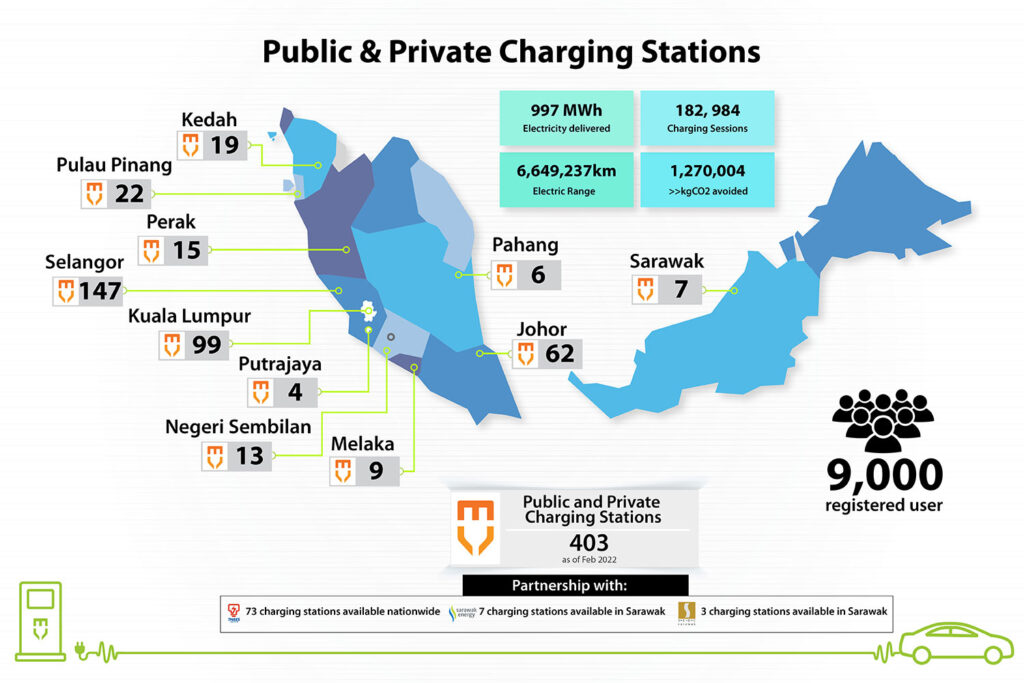
*Time is an estimate and varies based on EV battery size and charging curve. Key Charging Point Operators (CPOs) in MalaysiaYou will need to use their mobile apps to locate and activate chargers. Many are now part of roaming networks, allowing access with a single app. ChargEV: One of the largest networks with both AC and DC chargers across the country. JomCharge: Another major player with a wide network of chargers. Shell Recharge: Located at Shell stations, offering convenient highway and urban charging. Tesla Supercharger: Exclusively for Tesla vehicles. Some stations are now open to non-Tesla EVs in Malaysia. Gentari: A growing network focused on providing clean energy solutions. ParkEasy: Often found in shopping malls in the Klang Valley.
Roaming Aggregator Apps: Apps like MOBILUS and ChargeSini aggregate data from multiple CPOs, showing you almost all available chargers on a single map. How to Charge Your EV in Malaysia: A Step-by-Step GuideLocate a Charger: Use an app like ChargEV, JomCharge, or an aggregator like MOBILUS. Check Availability: The app will show you if the charger is available, in use, or faulty. Drive to the Location: Park your EV next to the charging bay. Connect the Cable: Start the Session: Use the CPO's mobile app to scan the QR code on the charger or manually select the charger ID in the app to start the session. Payment is usually automated through the app (via credit/debit card or pre-paid wallet). Charging: Once authorized, charging will begin. You can monitor the progress on your car's dashboard or the charger's screen. Ending the Session: When you have enough charge, stop the session via the app. Unplug the cable and neatly return it to its holder.
|
Image source: https://www.mgtc.gov.my/what-we-do/low-carbon-mobility-2/chargev/